
M3T Vineyard Capture Tips for Dusty Conditions
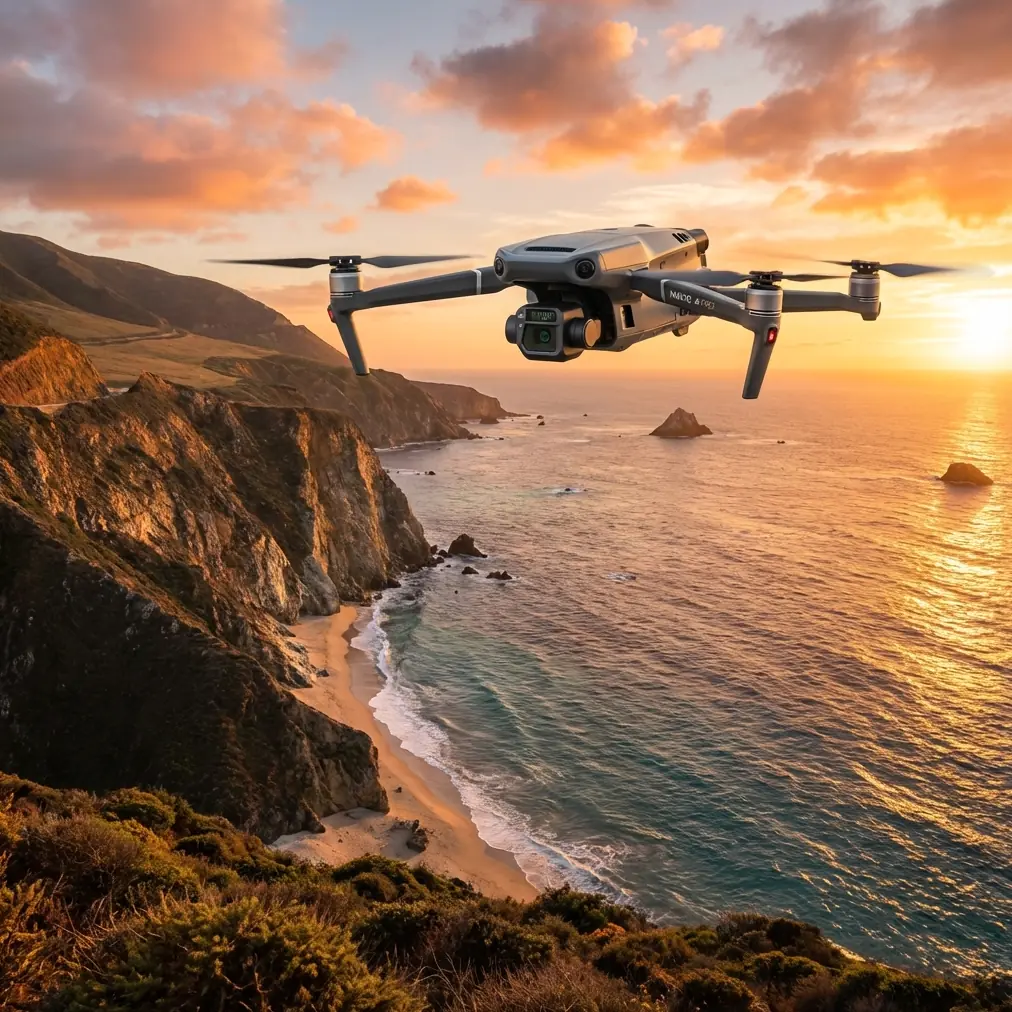
M3T Vineyard Capture Tips for Dusty Conditions
META: Learn expert Mavic 3T tips for capturing vineyard data in dusty conditions. Master thermal signature mapping, photogrammetry workflows, and sensor protection.
By Dr. Lisa Wang, Precision Agriculture & Drone Mapping Specialist
TL;DR
- Dusty vineyard environments demand specific Mavic 3T sensor configurations, pre-flight protocols, and flight timing strategies to ensure clean, usable data
- Thermal signature mapping during early morning windows produces up to 60% sharper canopy differentiation than midday flights
- Proper GCP placement across vineyard rows is essential for photogrammetry accuracy when particulate interference degrades visual clarity
- The Mavic 3T's O3 transmission system outperforms competing platforms in maintaining signal lock through dust-heavy air corridors
Why Dusty Vineyards Are One of the Hardest Capture Environments
Vineyard mapping during dry, dusty seasons breaks most drone workflows. Airborne particulates scatter light, degrade thermal readings, and coat sensor lenses mid-flight—turning what should be a routine photogrammetry mission into a data quality nightmare. This guide walks you through the exact Mavic 3T settings, flight planning techniques, and field protocols that consistently produce survey-grade vineyard data, even when visibility drops and dust columns rise between every row.
Dust is not merely a nuisance for lens clarity. It actively disrupts thermal signature readings by creating a false radiative layer between the canopy and the sensor. This means that a stressed vine block could appear healthy, or a well-irrigated section could register anomalous heat. Without the right approach, your entire dataset becomes unreliable.
The Mavic 3T, with its split-sensor payload combining a 48MP wide camera, a 12MP zoom camera, and a 640×512 thermal sensor, is uniquely positioned to handle these challenges—if you configure it correctly.
Step 1: Pre-Flight Preparation for Dusty Vineyard Sites
Timing Your Flight Window
The single most impactful decision you'll make is when you fly. Dust particulate density in vineyard environments follows a predictable daily cycle driven by wind, mechanical activity (tractors, harvesters), and thermal convection currents.
- Optimal window: 5:45 AM – 8:30 AM local time, before convective heating lifts settled dust
- Secondary window: 5:00 PM – 6:30 PM, after afternoon winds die down
- Avoid entirely: 11:00 AM – 3:00 PM, when thermal updrafts create persistent dust suspension
Flying during the early morning window also gives you the best thermal signature contrast. Vine canopy temperatures during this period diverge most clearly from soil background temperatures, producing thermal gradients of 4–7°C versus only 1–2°C at midday.
Sensor and Lens Protection
Before each flight in dusty conditions, follow this checklist:
- Clean all three sensor lenses with a microfiber cloth and lens-safe compressed air
- Apply a UV protective filter to the wide camera if your gimbal guard allows it
- Inspect the gimbal motors for fine particulate accumulation—dust here causes micro-vibrations that destroy photogrammetry sharpness
- Ensure cooling vents on the aircraft body are clear; dust buildup causes thermal throttling
Pro Tip: Carry a sealed, rigid lens cleaning kit in an airtight bag. Opening your gear case in a dusty vineyard contaminates everything inside. Designate one clean zone—like the interior of your vehicle—for all sensor maintenance.
Battery Strategy with Hot-Swap Batteries
Vineyard missions in dusty conditions often require multiple sorties. The Mavic 3T's support for hot-swap batteries means you can land, swap, and relaunch without powering down the mission plan. This is critical because:
- Restarting a mission from scratch resets your RTK/PPK alignment
- Each power cycle in a dusty environment means reopening the battery compartment, introducing particulate risk
- Hot-swap batteries reduce total ground time by roughly 35%, keeping your aircraft above the dust layer longer
Always carry at least three fully charged batteries for a 50-acre vineyard block.
Step 2: GCP Placement Strategy for Vineyard Photogrammetry
Ground Control Points are the backbone of accurate photogrammetry in any agricultural mapping scenario. In vineyards specifically, GCP placement requires careful thought because the row structure creates repeating geometric patterns that confuse processing algorithms.
Recommended GCP Layout
- Place a minimum of 5 GCPs per 20-acre block
- Position GCPs at row intersections and end posts, not mid-row where canopy occlusion is highest
- Use high-contrast checkerboard targets (black and white) measuring at least 60cm × 60cm—standard white targets disappear against dusty, light-colored soil
- Survey each GCP with an RTK GNSS receiver at ±2cm horizontal accuracy
In dusty conditions, inspect your GCPs after placement. A thin dust film on a target can reduce its detectability in aerial imagery by up to 40%. Wipe targets immediately before flight.
Step 3: In-Flight Settings and Mission Configuration
Camera and Thermal Configuration
Set your Mavic 3T's wide camera to the following parameters for dusty vineyard captures:
- Shutter speed: 1/1000s or faster to freeze any dust-induced haze motion
- ISO: Keep at 100–200; higher ISO amplifies particulate noise
- White balance: Manual, set to 5500K for consistent color grading across flights
- Image format: RAW (DNG) exclusively—JPEG compression destroys the subtle spectral differences between dusty and clean canopy
- Overlap: Set to 80% frontal / 70% side minimum for reliable photogrammetry stitching
For the thermal sensor:
- Emissivity: Set to 0.98 for vine canopy (green leaf tissue)
- Gain mode: High gain for the subtle temperature differentials in early morning flights
- Palette: Use Ironbow for field review, but always capture in radiometric RJPEG for post-processing flexibility
Flight Altitude and Speed
- Altitude: 40–50 meters AGL for photogrammetry; 25–30 meters AGL for thermal signature analysis
- Speed: 5–7 m/s maximum—faster speeds in dusty air create motion blur that photogrammetry software cannot correct
- Flight pattern: Double grid (crosshatch) rather than single-pass lawnmower to compensate for any dust-degraded frames
Expert Insight: Many operators fly too high in dusty conditions, thinking altitude will get them above the particulate layer. This is counterproductive. The dust layer in vineyard environments typically extends only 10–15 meters above ground. Flying at 40m already clears it. Going higher sacrifices GSD (ground sampling distance) without improving clarity. At 50m, the Mavic 3T's wide camera delivers a GSD of approximately 1.28 cm/px—the sweet spot for vine-level stress detection.
Step 4: Maintaining Signal Integrity with O3 Transmission
Dust-heavy air attenuates radio signals. This is where the Mavic 3T's O3 (OcuSync 3.0) transmission system dramatically outperforms competitors. With a maximum transmission range of 15 km and automatic frequency hopping across 2.4 GHz and 5.8 GHz bands, the O3 system maintains 1080p live feed even in conditions that cause competing platforms to drop to 720p or lose video entirely.
During vineyard missions, keep these O3 best practices in mind:
- Position your remote controller elevated (on a tripod or vehicle roof) to maintain clear line-of-sight
- Avoid placing the controller near metal vineyard infrastructure (trellis wires, steel posts) that creates multipath interference
- Monitor signal strength in the DJI Pilot 2 app—if it drops below 70%, the dust density may be too high for reliable BVLOS operations
For operators holding BVLOS waivers, the Mavic 3T's AES-256 encrypted data link ensures that your thermal and visual data streams remain secure during extended-range vineyard surveys. This encryption standard matches military-grade specifications, which matters when your vineyard clients' proprietary health data is being transmitted over open airwaves.
Technical Comparison: Mavic 3T vs. Competing Platforms in Dusty Conditions
| Feature | DJI Mavic 3T | Autel EVO II Dual 640T | Skydio X10 |
|---|---|---|---|
| Thermal Resolution | 640×512 | 640×512 | 320×256 |
| Wide Camera Resolution | 48MP | 50MP | 48MP |
| Transmission System | O3 (15km, AES-256) | SkyLink 2.0 (15km) | Skydio Link (10km) |
| Dust Signal Stability | Excellent (dual-band auto-hop) | Good | Moderate |
| Hot-Swap Battery Support | Yes | No | No |
| Max Flight Time | 45 min | 38 min | 35 min |
| Radiometric Thermal | Yes (RJPEG) | Yes (RJPEG) | No |
| IP Rating | IP54 (dust/splash resistant) | IP43 | IP55 |
| Photogrammetry GSD at 50m | 1.28 cm/px | 1.22 cm/px | 1.30 cm/px |
The Mavic 3T's IP54 dust resistance rating, combined with its hot-swap battery capability and superior O3 signal stability, makes it the most reliable platform for repeated dusty vineyard deployments. While the Skydio X10 offers a slightly higher IP rating, its 320×256 thermal sensor produces thermal signatures with 75% less pixel density, making vine-level stress detection nearly impossible.
Common Mistakes to Avoid
1. Flying immediately after tractor activity. Mechanical vineyard operations lift dust that takes 30–60 minutes to settle. Coordinate with the vineyard manager to ensure no equipment operates within your survey area for at least one hour before flight.
2. Using automatic camera settings. Auto-exposure in dusty air causes the camera to overcompensate for haze, blowing out canopy detail. Always shoot full manual.
3. Neglecting thermal calibration. The Mavic 3T's thermal sensor requires a flat-field calibration (FFC) before each flight. In dusty conditions, also perform an FFC mid-flight if your mission exceeds 15 minutes, as dust accumulation on the thermal window subtly shifts readings.
4. Skipping post-flight sensor cleaning. Dust is abrasive. Each flight deposits microscopic particulates on lens coatings. Cleaning after every single flight—not just at the end of the day—prevents cumulative damage that degrades image quality over weeks.
5. Processing dusty and clean datasets together. If you fly one sortie in marginal dust and another in clear air, do not merge these datasets in your photogrammetry software. The differing light scatter profiles create stitching artifacts and false-color anomalies in orthomosaics.
Frequently Asked Questions
Can I fly the Mavic 3T in active dust storms or high-wind dusty conditions?
No. The Mavic 3T's IP54 rating protects against limited dust ingress under normal conditions, but sustained exposure to dense airborne particulates exceeding PM10 concentrations above 150 µg/m³ can overwhelm intake seals and damage motor bearings. If you can visibly see a dust haze reducing horizon visibility below 1 km, postpone your flight.
How do I verify that dust hasn't corrupted my thermal signature data?
After each flight, review a sample of your radiometric thermal images in software like FLIR Thermal Studio or DJI Thermal Analysis Tool 3.0. Check for uniform temperature bands across areas you know to be homogeneous (like bare soil between rows). If bare soil shows temperature variation greater than ±1.5°C across the frame, dust interference likely affected your data, and a re-fly is warranted.
What photogrammetry software works best for dusty vineyard datasets from the Mavic 3T?
DJI Terra handles Mavic 3T datasets natively and applies automatic haze correction during orthomosaic generation. For more advanced processing, Pix4Dfields offers agricultural-specific indices and handles dust-degraded imagery well through its multi-scale matching algorithm. Avoid software that lacks haze compensation—your reconstruction accuracy will suffer significantly with dusty datasets.
Ready for your own Mavic 3T? Contact our team for expert consultation.